> ## Documentation Index
> Fetch the complete documentation index at: https://docs.pond.li/llms.txt
> Use this file to discover all available pages before exploring further.
# Artefacts
> The familiar basic unit of your personal archives.
Artefacts are whole pieces of media: the articles, PDFs, documents, videos, and images that make up your personal library.
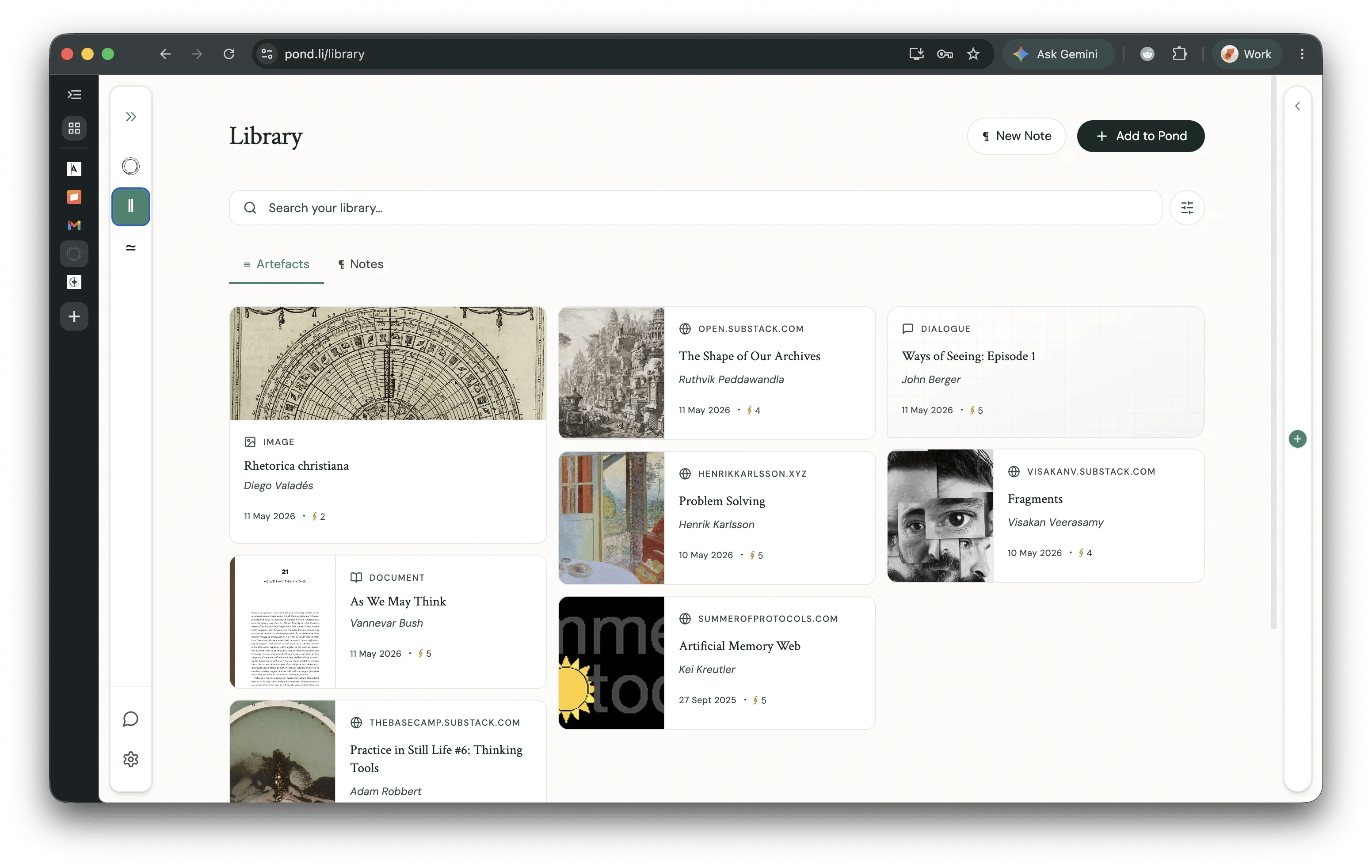 The Library has two tabs: **Artefacts** (this page) and **Notes** — see [Notes](/notes) for the writing surface.
## Adding Artefacts
Artefacts can be uploaded to Pond by clicking the **Add to Pond** button on the Home or Library pages.
You can add:
* **PDFs** — existing highlights and annotations are detected and turned into Fragments automatically
* **Articles** — paste a URL and Pond fetches and stores the content
* **YouTube videos** — Pond extracts the transcript and treats the video as a readable Artefact
* **Markdown and text documents**
* **Images** — including images of text, with OCR
* **Manual entries** — create an empty Artefact and add Fragments to it directly
Whatever you bring in, members can open it and ask Pond to **suggest passages** worth marking — see [Creating Fragments](/fragments). You don't have to highlight by hand to get a Thread started.
For bulk imports from existing notebooks (Obsidian, Notion, Evernote) or services like Readwise, see [Import & Export](/import-export).
## Sync Pipelines
You can set up sync pipelines between Pond and services like [Readwise](http://readwise.io/) (available now). **Kindle**, **Instapaper**, and **Zotero** sync pipelines will be available in the near future.
Pond imports highlights and annotations (as Fragments) from these services, not entire Artefacts. You can upload the full Artefact body separately if you wish.
The Library has two tabs: **Artefacts** (this page) and **Notes** — see [Notes](/notes) for the writing surface.
## Adding Artefacts
Artefacts can be uploaded to Pond by clicking the **Add to Pond** button on the Home or Library pages.
You can add:
* **PDFs** — existing highlights and annotations are detected and turned into Fragments automatically
* **Articles** — paste a URL and Pond fetches and stores the content
* **YouTube videos** — Pond extracts the transcript and treats the video as a readable Artefact
* **Markdown and text documents**
* **Images** — including images of text, with OCR
* **Manual entries** — create an empty Artefact and add Fragments to it directly
Whatever you bring in, members can open it and ask Pond to **suggest passages** worth marking — see [Creating Fragments](/fragments). You don't have to highlight by hand to get a Thread started.
For bulk imports from existing notebooks (Obsidian, Notion, Evernote) or services like Readwise, see [Import & Export](/import-export).
## Sync Pipelines
You can set up sync pipelines between Pond and services like [Readwise](http://readwise.io/) (available now). **Kindle**, **Instapaper**, and **Zotero** sync pipelines will be available in the near future.
Pond imports highlights and annotations (as Fragments) from these services, not entire Artefacts. You can upload the full Artefact body separately if you wish.