> ## Documentation Index
> Fetch the complete documentation index at: https://docs.pond.li/llms.txt
> Use this file to discover all available pages before exploring further.
# Notes
> Where you write in a Thread — prose, referenced Fragments, and Moves.
Notes are the place in Pond where you write. They hold prose, questions, drafts, and references to other items in the Thread — the working surface on which the Thread's argument is composed.
A Note is freeform: type as you would in any editor, with the ability to reference any Fragment, Note, or Artefact already in the Thread by `@`-mention.
## Where Notes live
* **Inside a Thread**, on the **Notebook** tab — see [Workspace](/threads#workspace).
* **In the Library**, under the **Notes** tab — every Note you've written, surfaced alongside your Artefacts.
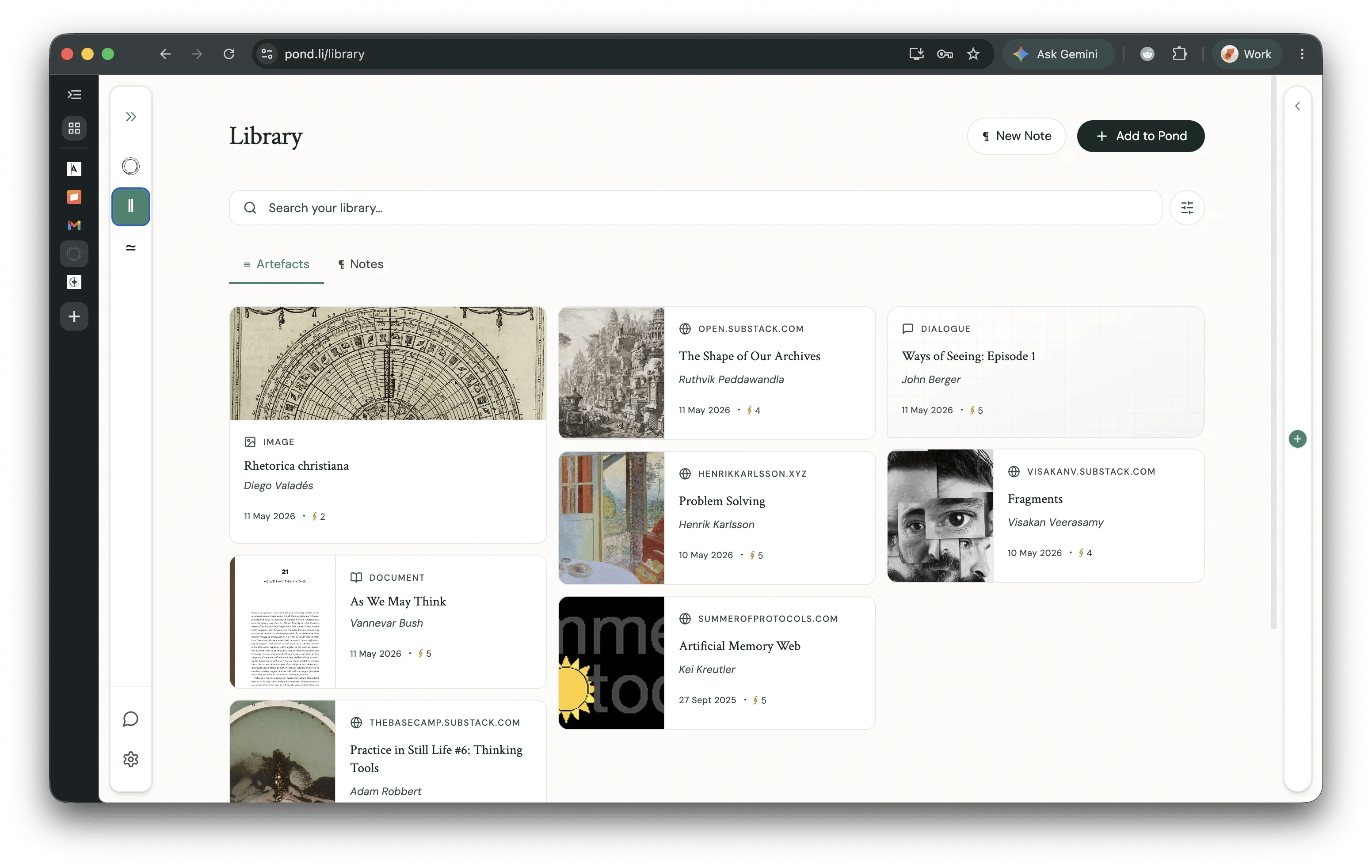 You can start a new Note from anywhere with the **New Note** button (Home, Library, or inside a Thread).
## Writing in a Note
### @-mention to reference
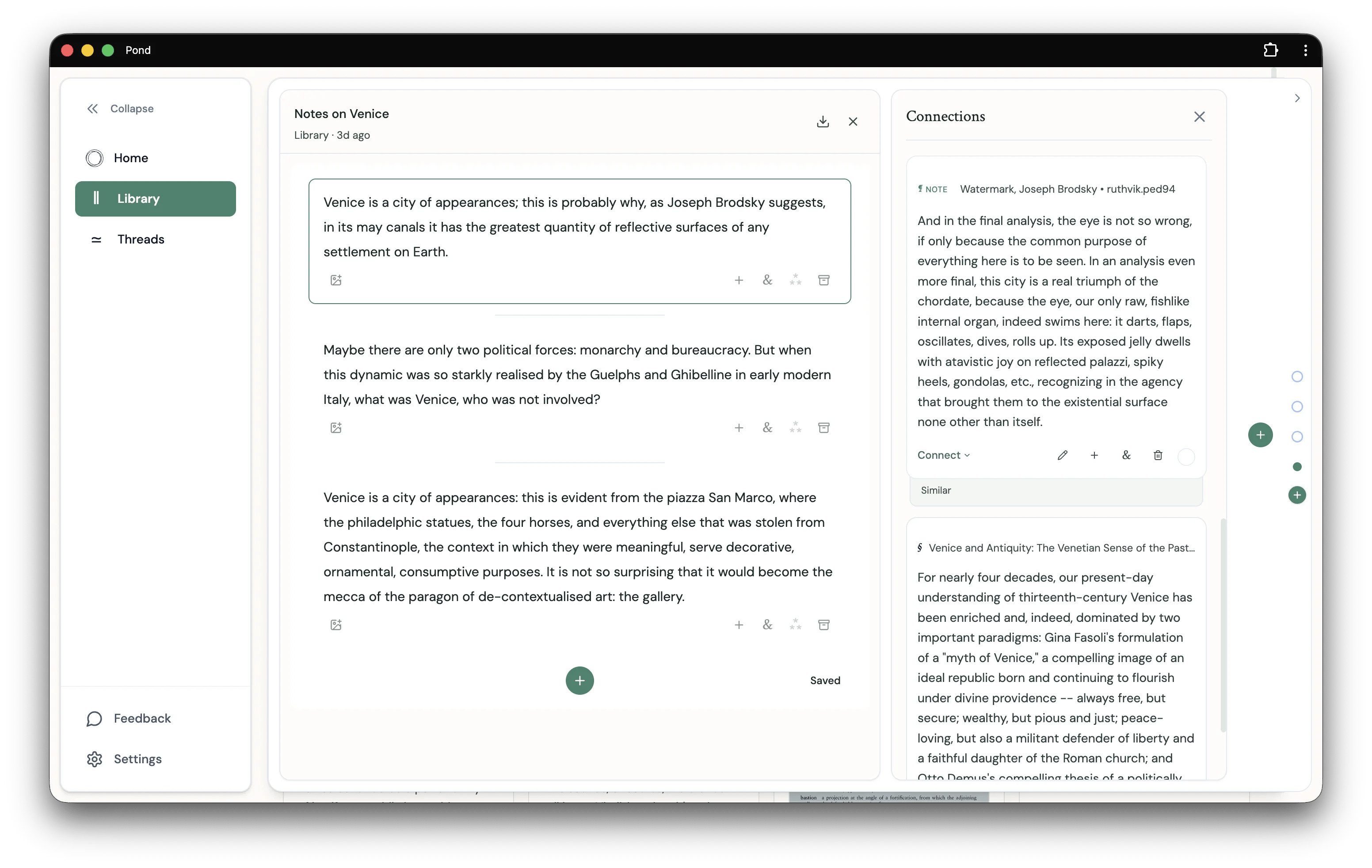
Inside a Thread's Notebook, type `@` to reference any Fragment, Note, or Artefact that's already in the Thread. The picker scopes to the Thread's contents — it's a way to weave together material you've already gathered, not a search across your whole Pond.
You can start a new Note from anywhere with the **New Note** button (Home, Library, or inside a Thread).
## Writing in a Note
### @-mention to reference
Inside a Thread's Notebook, type `@` to reference any Fragment, Note, or Artefact that's already in the Thread. The picker scopes to the Thread's contents — it's a way to weave together material you've already gathered, not a search across your whole Pond.
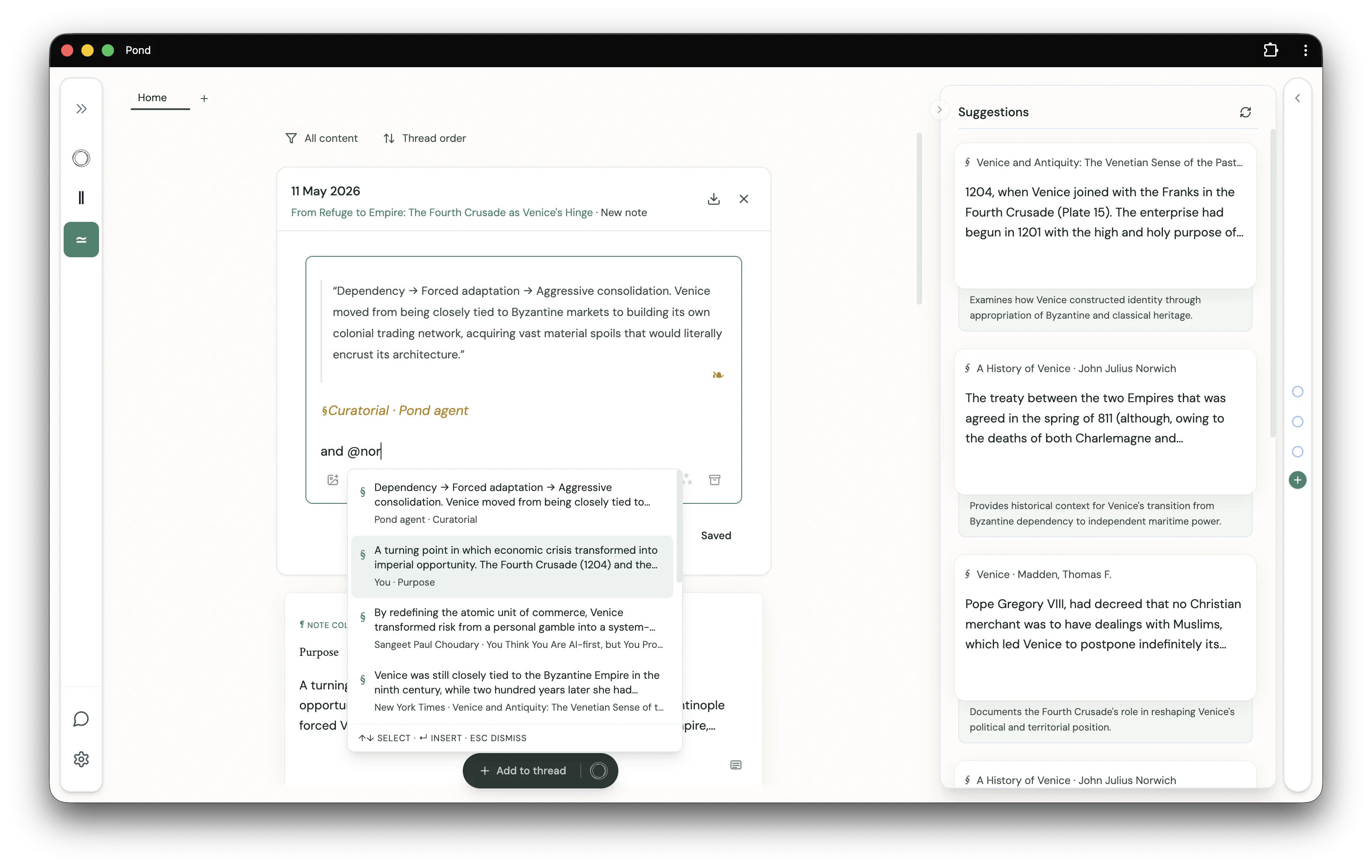
 Referenced Fragments are rendered inline as cards with their source attribution, so the Note reads as a single composition rather than a list of links.
 ### Connect referenced Fragments
When a Note references two or more Fragments, an inline chip appears beneath them suggesting you connect those Fragments. Pick **Extends**, **Supports**, or **Contrasts** — or open the menu for a custom type — to record the [Connection](/connections) in place.
### Connect referenced Fragments
When a Note references two or more Fragments, an inline chip appears beneath them suggesting you connect those Fragments. Pick **Extends**, **Supports**, or **Contrasts** — or open the menu for a custom type — to record the [Connection](/connections) in place.
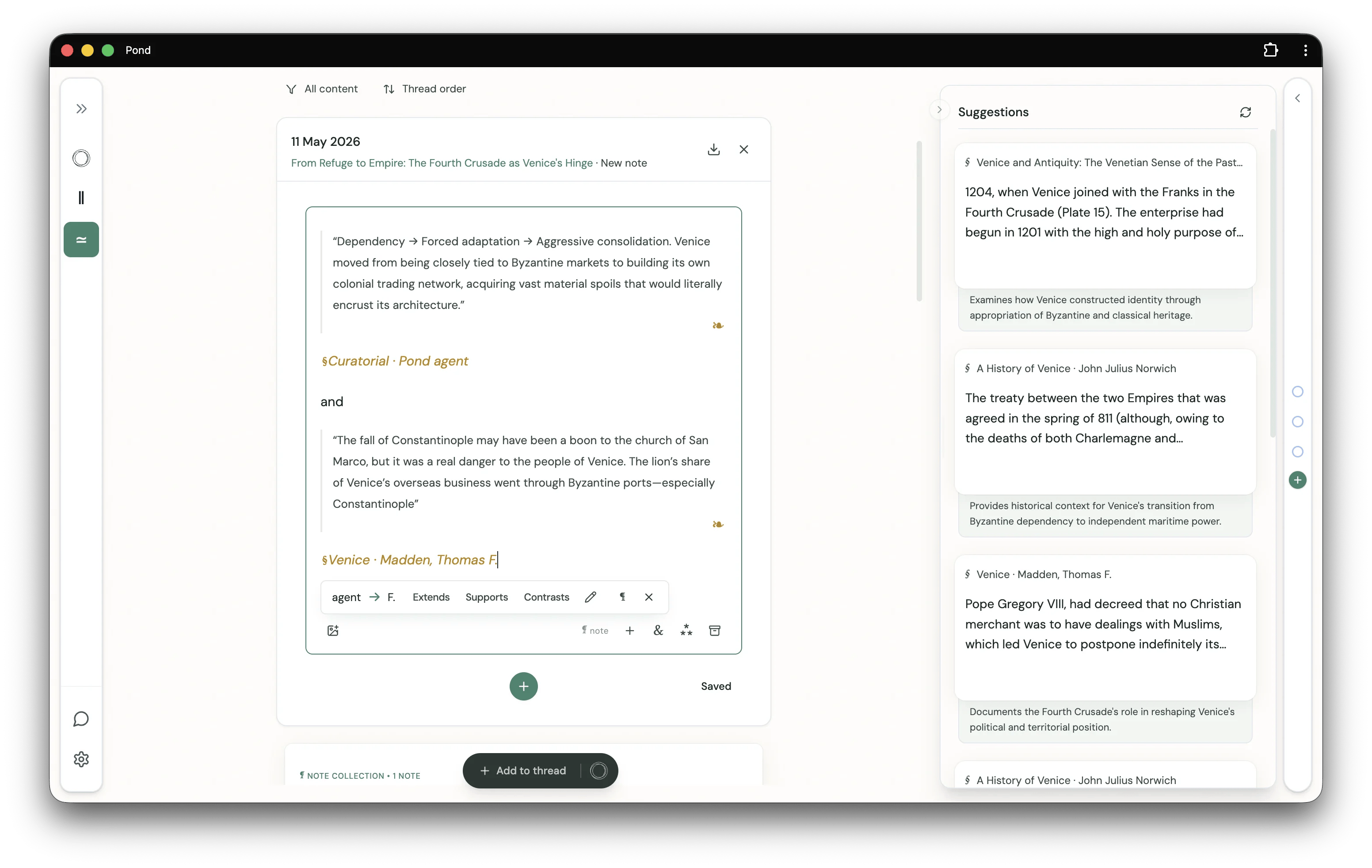 The relational layer grows directly out of your writing — no need to leave the editor to log a Connection.
## Promoting a Note to a Move
A Note becomes a [**Move**](/moves) when you give it a type from the Move type badge in the editor — `#Thesis`, `#Question`, `#Tension`, and so on. Moves are how a Thread gains direction, and how Pond's intelligent features read what the Thread is doing.
See [Moves](/moves) for the type vocabulary, Pond-authored Moves, and where this is heading.
The relational layer grows directly out of your writing — no need to leave the editor to log a Connection.
## Promoting a Note to a Move
A Note becomes a [**Move**](/moves) when you give it a type from the Move type badge in the editor — `#Thesis`, `#Question`, `#Tension`, and so on. Moves are how a Thread gains direction, and how Pond's intelligent features read what the Thread is doing.
See [Moves](/moves) for the type vocabulary, Pond-authored Moves, and where this is heading.