> ## Documentation Index
> Fetch the complete documentation index at: https://docs.pond.li/llms.txt
> Use this file to discover all available pages before exploring further.
# Pond Intelligence
> How Pond navigates your relational layer to surface connections, develop Threads, and discover new lines of inquiry.
Pond Intelligence is the set of features through which Pond navigates and utilises the [relational layer](/connections) you build — surfacing connections you might miss, contributing to Thread development, and discovering lines of inquiry running through your collections.
The richer your relational layer (i.e., the more [Connections](/connections) you make), the better these features become.
You can adjust the similarity thresholds that Pond uses for suggestions across the app — including connection suggestions, Thread development suggestions, and Thread discovery — from the **Settings** menu.
## Fragment Suggestions
Open an Artefact and choose **Suggest passages**, and Pond reads the whole document to propose passages worth marking as [Fragments](/fragments). They arrive in two groups:
* **Connects to your threads** — passages scored against the [Threads](/threads) you're already developing, so a new source feeds straight into work in progress.
* **Worth marking · beyond your threads** — passages that stand out on their own, surfaced so your reading isn't confined to the Threads you already keep.
Accept the ones that resonate and they're marked to your library; dismiss the rest. The act of marking stays yours — Pond proposes, you decide. Fragment suggestions are a membership feature and work on any Artefact with body text. See [Pricing](/pricing).
## Connection Suggestions
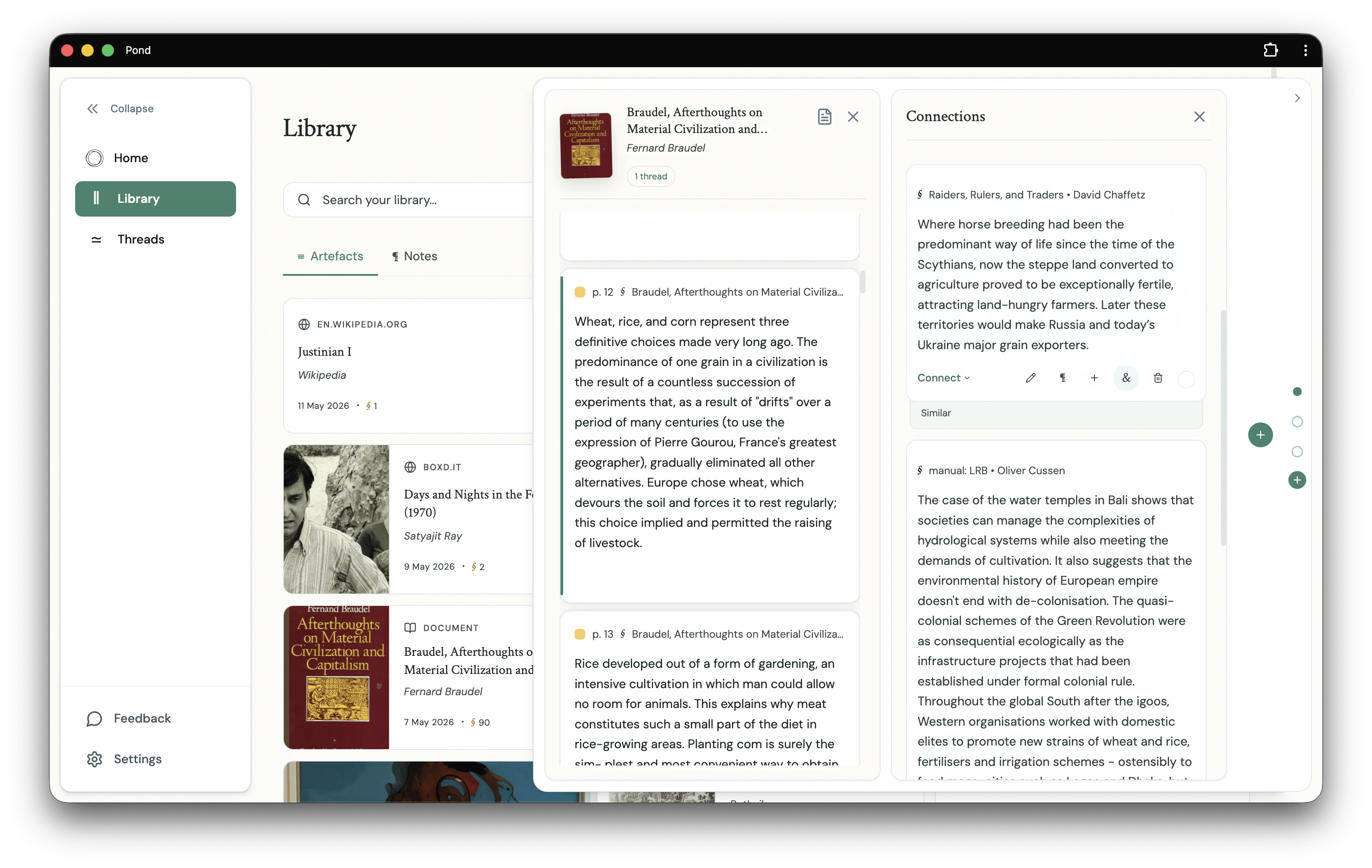
When you open the Connections panel for a Fragment, Pond suggests other Fragments that might be related. The Suggested Connections list consists of Fragments that are either:
1. **Semantically similar** to the Fragment you're viewing (via vector embeddings)
2. **Related by one hop** of explicit connections — i.e., explicit connections of your explicitly connected Fragments
Results from the explicit connections graph are always placed at the top of the Suggested Connections list.
## Thread Development Suggestions
### In the Suggestions sidebar
In every Thread workspace, the right-hand sidebar surfaces Fragments and Threads from elsewhere in your Library that might help you develop the Thread in focus. Each suggestion includes a short explanation of why Pond thinks it's relevant to the Thread.
 ### On the Home screen
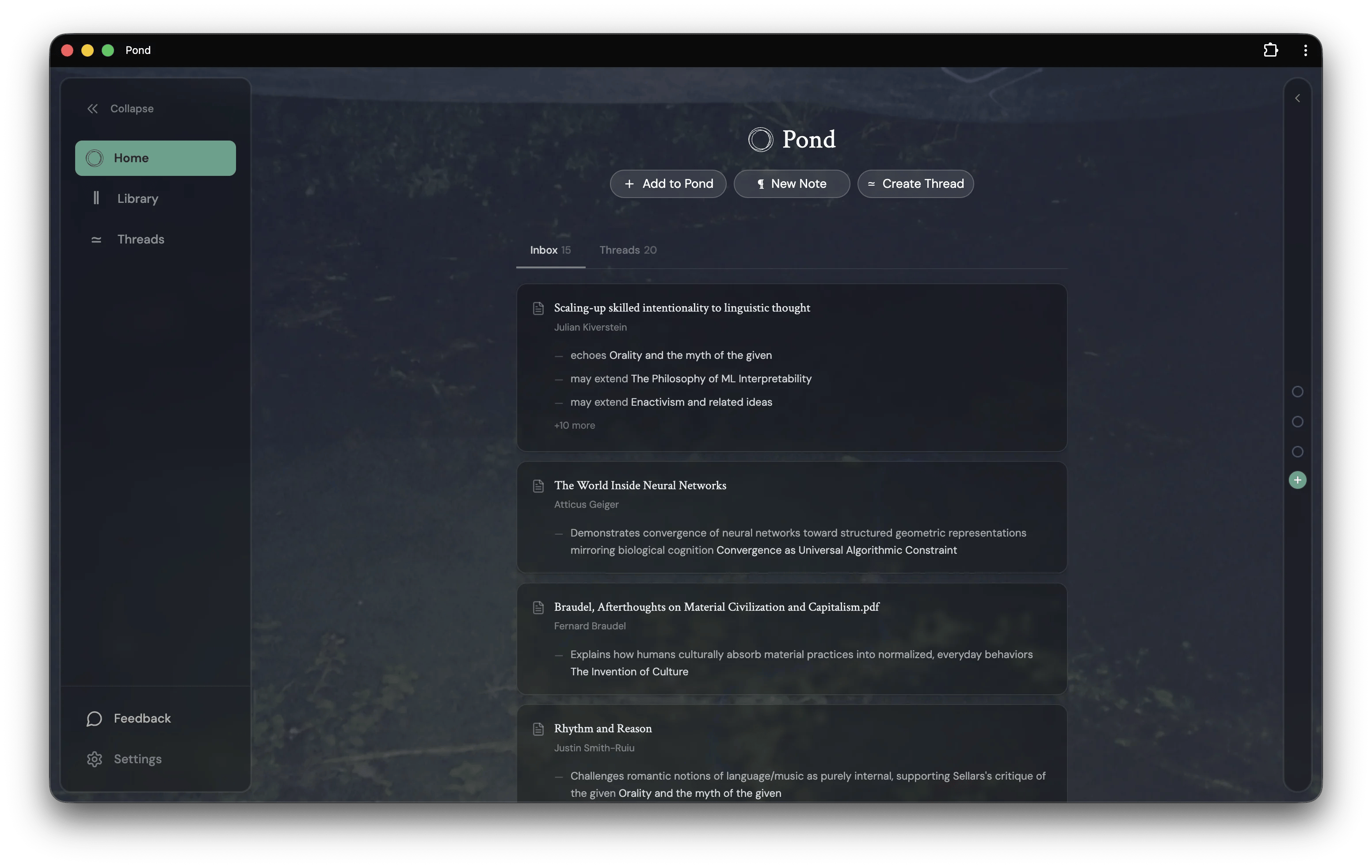
The Home screen organises Pond's suggestions into a feed with up to three tabs:
* **Inbox** — newly added Artefacts grouped by today, yesterday, and the past week. Each card carries typed resonance hints — for example *echoes Orality and the myth of the given*, or *may extend Enactivism and related ideas* — drawn from your existing Threads, Fragments, and other Artefacts.
* **Threads** — appears when you have active Threads with development suggestions, surfacing those suggestions across all of them.
* **Discovered** — appears when Thread Discovery is enabled and there are newly proposed Threads to review.
### On the Home screen
The Home screen organises Pond's suggestions into a feed with up to three tabs:
* **Inbox** — newly added Artefacts grouped by today, yesterday, and the past week. Each card carries typed resonance hints — for example *echoes Orality and the myth of the given*, or *may extend Enactivism and related ideas* — drawn from your existing Threads, Fragments, and other Artefacts.
* **Threads** — appears when you have active Threads with development suggestions, surfacing those suggestions across all of them.
* **Discovered** — appears when Thread Discovery is enabled and there are newly proposed Threads to review.
 ## Resonances
Click any Artefact in the Inbox to open its **Resonances** panel. It shows the specific Fragments and Thread connections Pond has identified between the new Artefact and the rest of your Pond — each one with an excerpt and a short summary of why it matters.
## Resonances
Click any Artefact in the Inbox to open its **Resonances** panel. It shows the specific Fragments and Thread connections Pond has identified between the new Artefact and the rest of your Pond — each one with an excerpt and a short summary of why it matters.
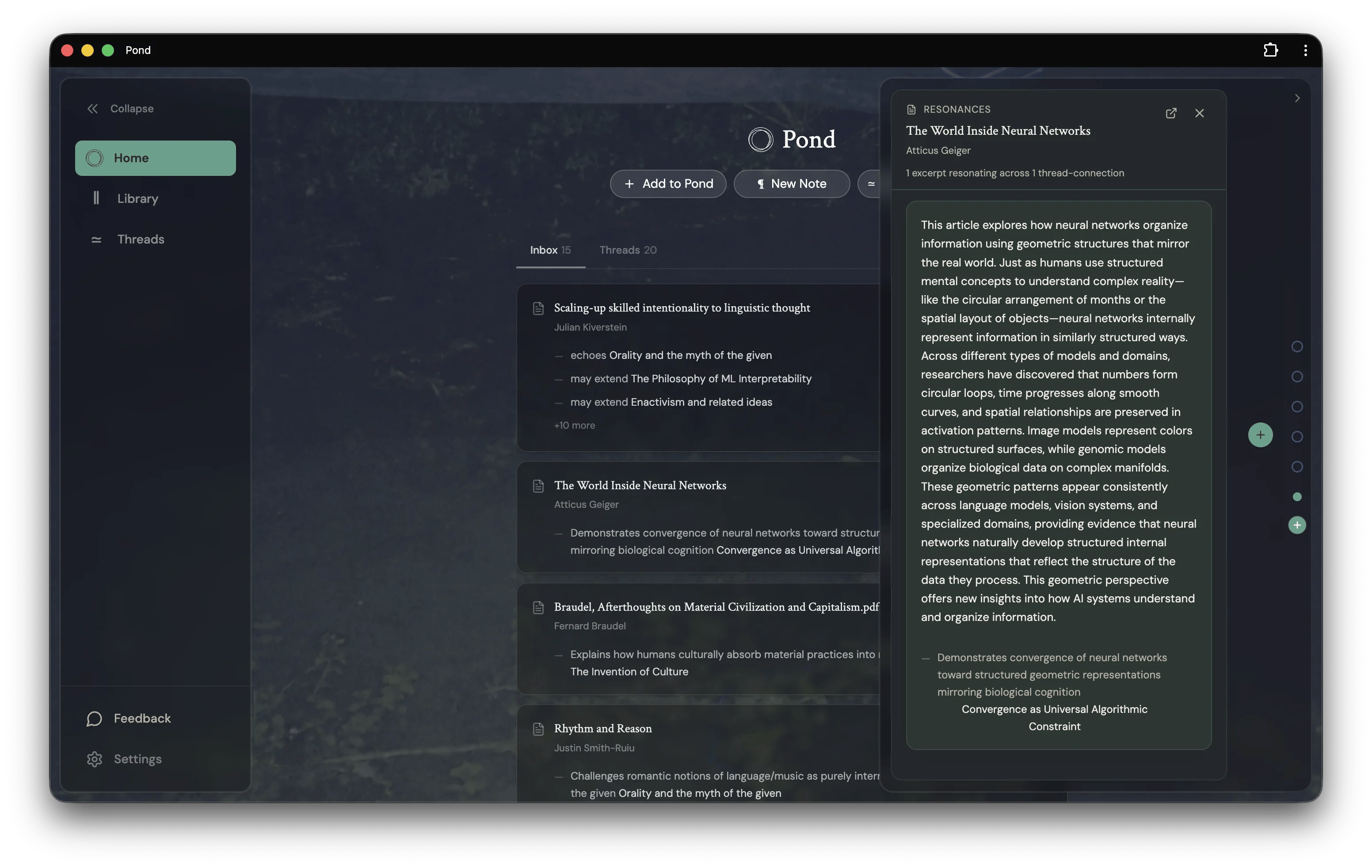 Resonances are how a new piece of reading enters into conversation with what you've already been thinking. They give you a way in beyond reading the Artefact end-to-end.
There are many opportunities for improvement here: Pond's Thread development suggestions should be responsive to the particular ways in which you want to develop your understanding, and should be able to draw from sources beyond your Fragments (e.g., other text from your Library, external resources).
## Thread Discovery
Once your Library reaches a sufficient size, Pond will proactively *discover* Threads running through your collections. These appear as Thread suggestions that you can materialise.
Pond uses Anthropic's Claude models equipped with Pond-specific tools to build and discover Threads. The agent works iteratively with your Library — searching, evaluating, and curating — to produce richer and more characteristic Threads than a simple RAG pipeline. In time, you will be able to offer the agent your own guidelines for Thread discovery and creation.
Agentic Thread building and discovery takes time (1-3 minutes to build a Thread).
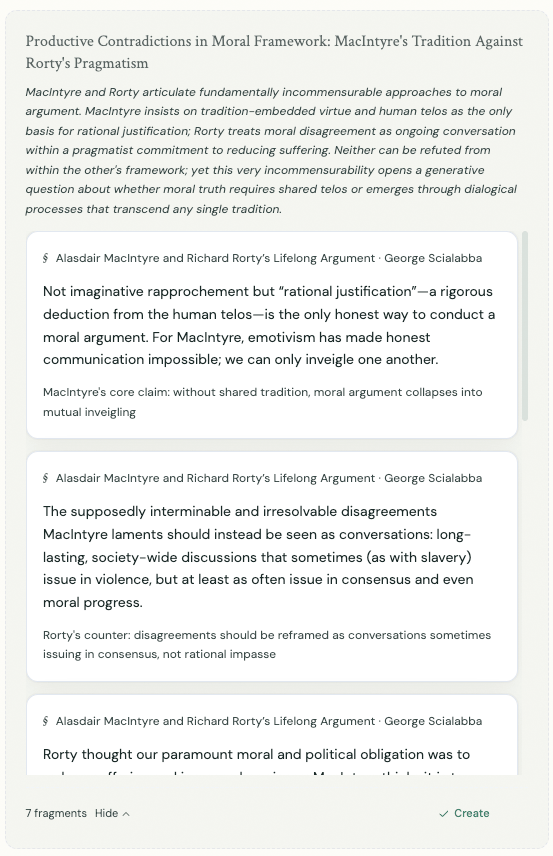
An example of a Thread discovered by Pond
Resonances are how a new piece of reading enters into conversation with what you've already been thinking. They give you a way in beyond reading the Artefact end-to-end.
There are many opportunities for improvement here: Pond's Thread development suggestions should be responsive to the particular ways in which you want to develop your understanding, and should be able to draw from sources beyond your Fragments (e.g., other text from your Library, external resources).
## Thread Discovery
Once your Library reaches a sufficient size, Pond will proactively *discover* Threads running through your collections. These appear as Thread suggestions that you can materialise.
Pond uses Anthropic's Claude models equipped with Pond-specific tools to build and discover Threads. The agent works iteratively with your Library — searching, evaluating, and curating — to produce richer and more characteristic Threads than a simple RAG pipeline. In time, you will be able to offer the agent your own guidelines for Thread discovery and creation.
Agentic Thread building and discovery takes time (1-3 minutes to build a Thread).
An example of a Thread discovered by Pond