> ## Documentation Index
> Fetch the complete documentation index at: https://docs.pond.li/llms.txt
> Use this file to discover all available pages before exploring further.
# Threads
> Working spaces where Fragments are related, organised, and engaged with over time.
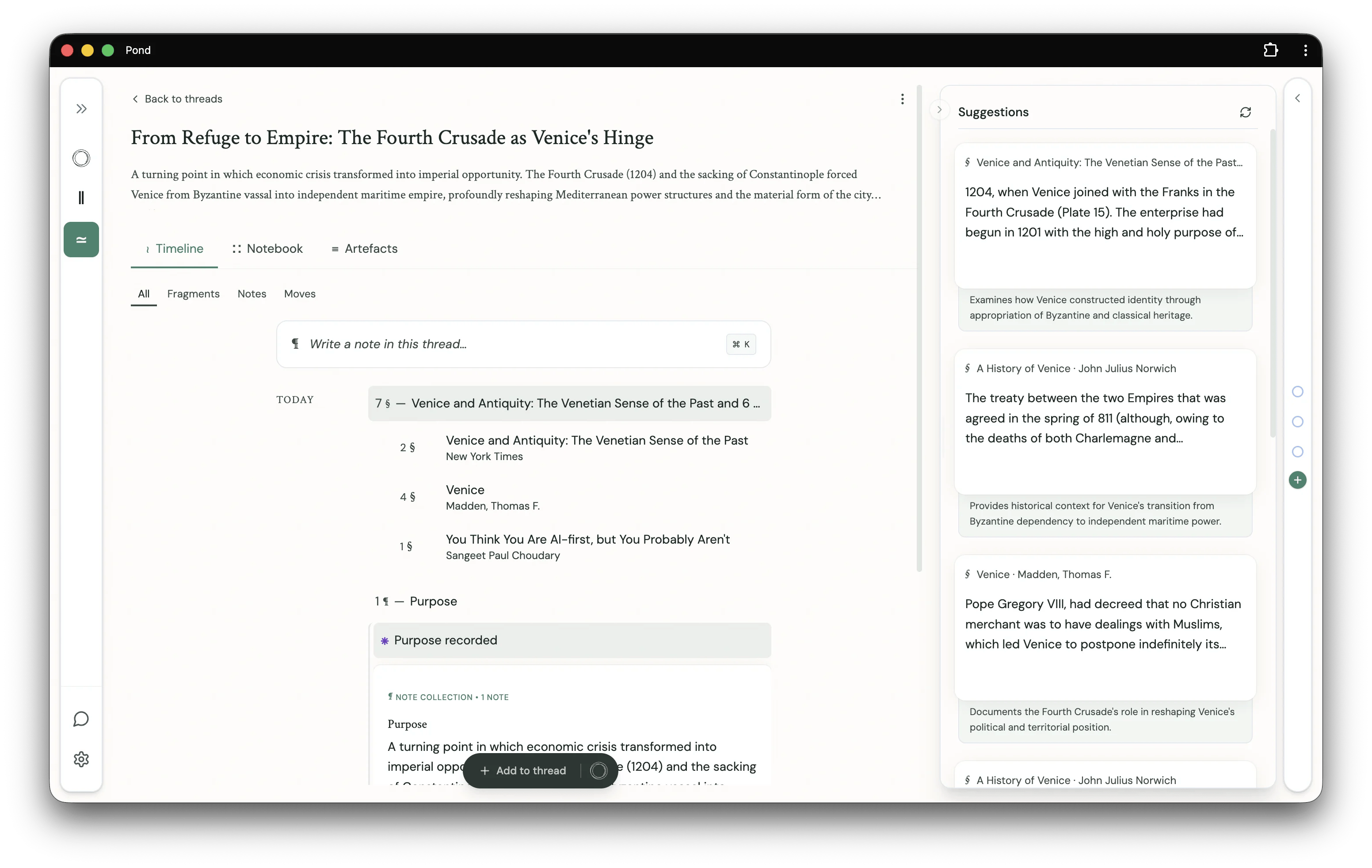
Threads are working spaces in Pond. They are where Fragments are related, organised and re-organised, and otherwise engaged with over time, as your understanding develops.
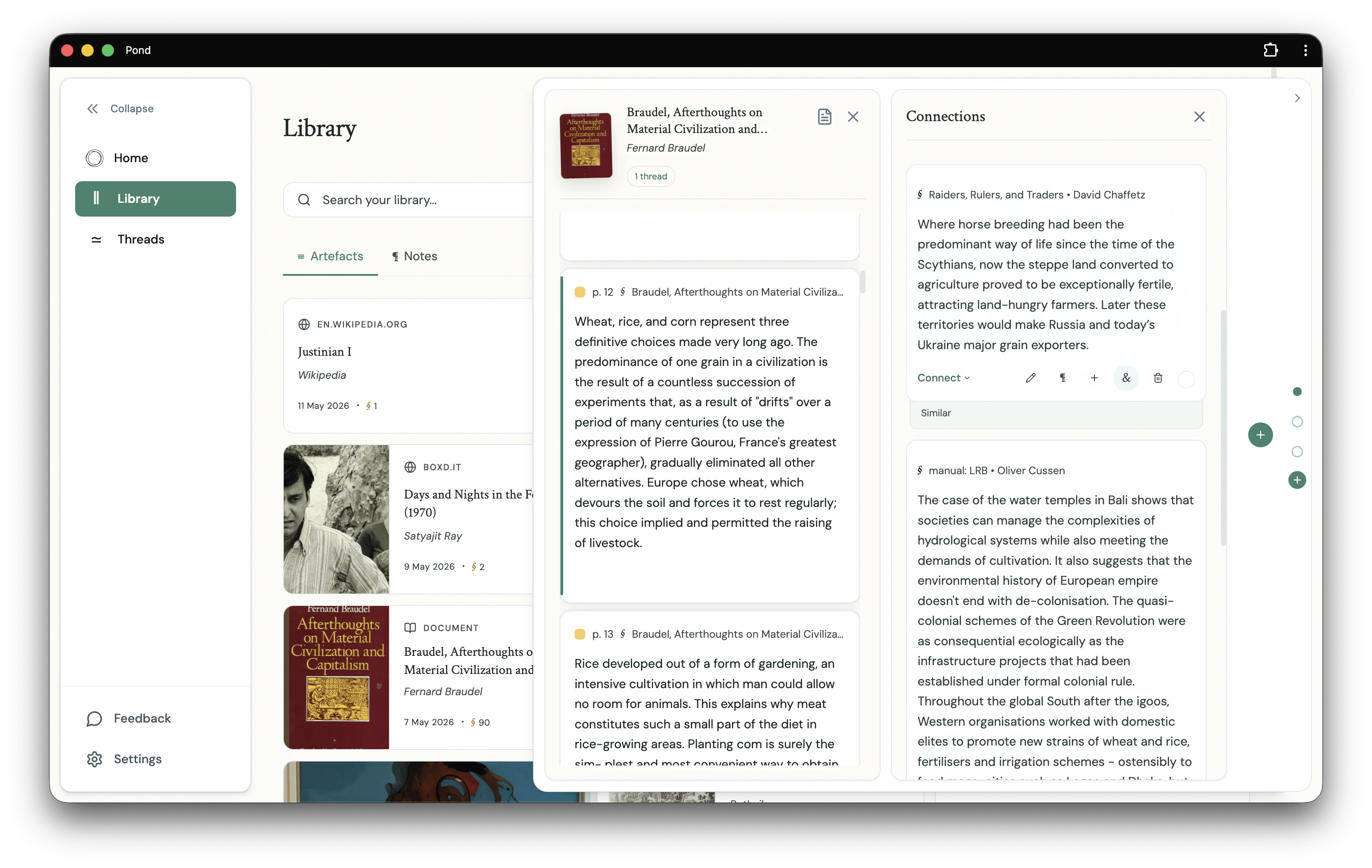 A Thread brings together **Fragments**, other **Threads**, the **Notes** you write (and the **Moves** they become when typed), and the **Connections** you draw between Fragments.
## Workspace
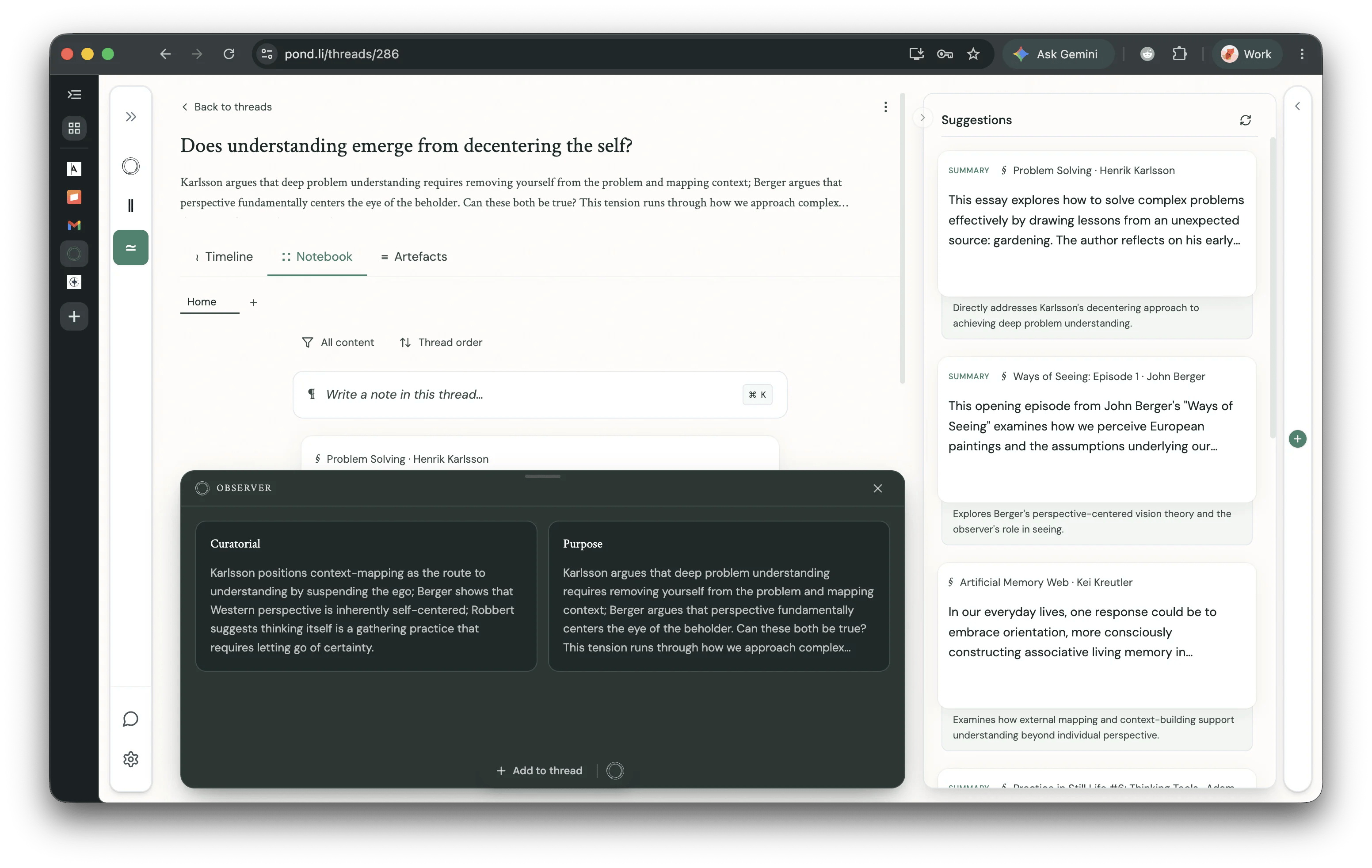
A Thread workspace has three tabs:
* **Timeline** — a chronological view of everything in the Thread: Fragments added, Notes written, and Moves recorded. Filter to **All**, **Fragments**, **Notes**, or **Moves** to narrow the view.
* **Notebook** — your writing surface. Compose [Notes](/notes) here, reference Fragments via `@`-mention, and arrange the Thread's argument. Sort by **All content** or **Thread order**.
* **Artefacts** — the sources behind the Thread: every Artefact that one of its Fragments is drawn from.
The right-hand **Suggestions** sidebar surfaces Fragments and Threads from elsewhere in your Library that might help develop the Thread in focus.
## The Observer
The **Observer** is a drawer that slides up from the bottom of the Thread workspace. It holds material Pond has authored *for* the Thread — most prominently the Pond-authored [Moves](/moves) (e.g. **Curatorial**, **Purpose**) that the agent produced when building the Thread. Each card sits in the Observer until you click **Add to thread** to commit it.
A Thread brings together **Fragments**, other **Threads**, the **Notes** you write (and the **Moves** they become when typed), and the **Connections** you draw between Fragments.
## Workspace
A Thread workspace has three tabs:
* **Timeline** — a chronological view of everything in the Thread: Fragments added, Notes written, and Moves recorded. Filter to **All**, **Fragments**, **Notes**, or **Moves** to narrow the view.
* **Notebook** — your writing surface. Compose [Notes](/notes) here, reference Fragments via `@`-mention, and arrange the Thread's argument. Sort by **All content** or **Thread order**.
* **Artefacts** — the sources behind the Thread: every Artefact that one of its Fragments is drawn from.
The right-hand **Suggestions** sidebar surfaces Fragments and Threads from elsewhere in your Library that might help develop the Thread in focus.
## The Observer
The **Observer** is a drawer that slides up from the bottom of the Thread workspace. It holds material Pond has authored *for* the Thread — most prominently the Pond-authored [Moves](/moves) (e.g. **Curatorial**, **Purpose**) that the agent produced when building the Thread. Each card sits in the Observer until you click **Add to thread** to commit it.
 Thread development suggestions will also surface here in a future release — the Observer is the long-term home for everything Pond proposes *to* a Thread, as distinct from what it surfaces *around* it in the Suggestions sidebar.
## Creating Threads
### Manually
Click the **New Thread** button and select the **Empty thread** toggle. Alternatively, select any number of Fragments in the Library or Artefact detail views and click the **New thread** button that appears at the bottom of the page.
### With Pond's help
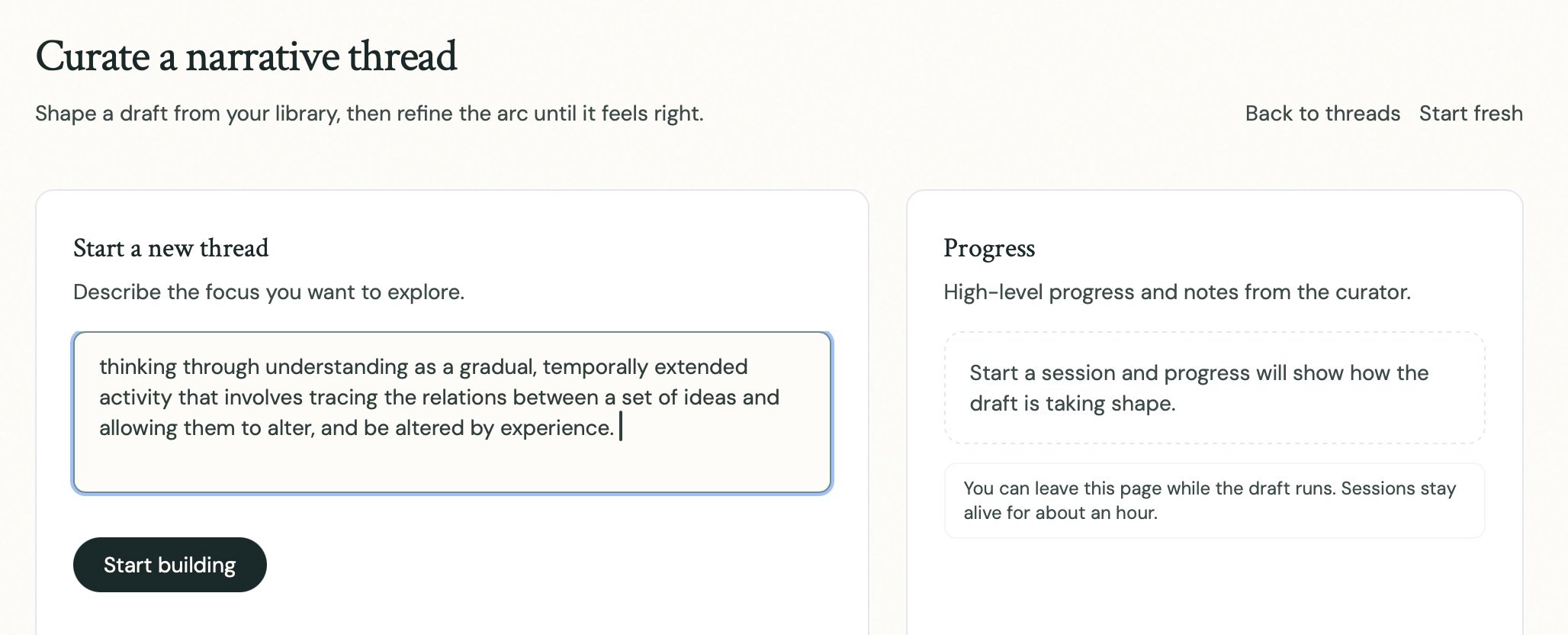
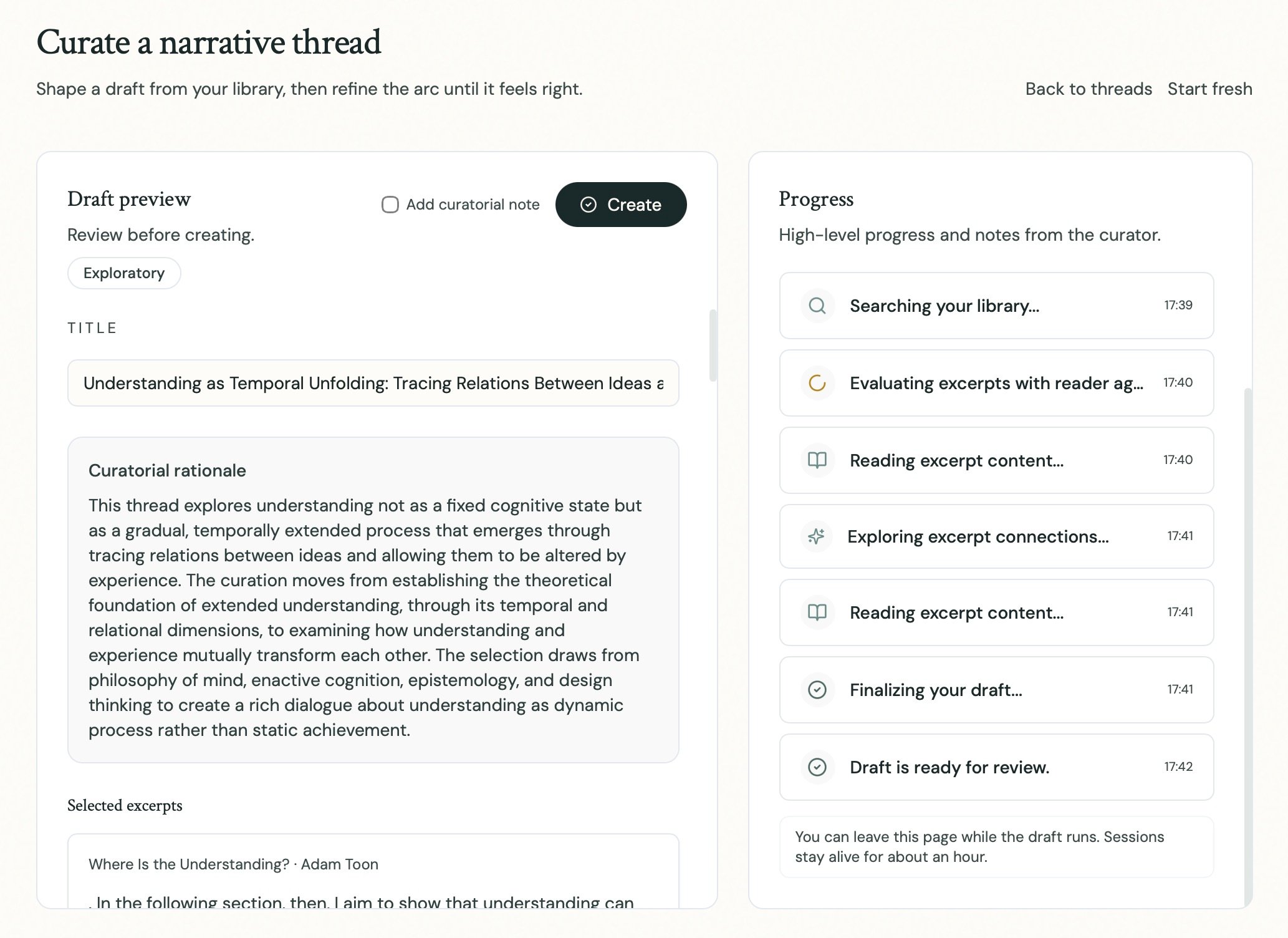
From the Thread builder interface (accessible through the **New thread** dialog), describe in natural language the Thread you would like Pond to construct. You can be as specific or exploratory as you like:
### Discovered by Pond
Once your Library reaches a sufficient size, Pond will proactively *discover* Threads running through your collections. See [Thread Discovery](/pond-intelligence#thread-discovery) for details.
## The Notebook
The **Notebook** is where the Thread's argument is actually written. Each entry is a [Note](/notes) — freeform prose into which you can reference Fragments and other entities by `@`-mention.
Thread development suggestions will also surface here in a future release — the Observer is the long-term home for everything Pond proposes *to* a Thread, as distinct from what it surfaces *around* it in the Suggestions sidebar.
## Creating Threads
### Manually
Click the **New Thread** button and select the **Empty thread** toggle. Alternatively, select any number of Fragments in the Library or Artefact detail views and click the **New thread** button that appears at the bottom of the page.
### With Pond's help
From the Thread builder interface (accessible through the **New thread** dialog), describe in natural language the Thread you would like Pond to construct. You can be as specific or exploratory as you like:
### Discovered by Pond
Once your Library reaches a sufficient size, Pond will proactively *discover* Threads running through your collections. See [Thread Discovery](/pond-intelligence#thread-discovery) for details.
## The Notebook
The **Notebook** is where the Thread's argument is actually written. Each entry is a [Note](/notes) — freeform prose into which you can reference Fragments and other entities by `@`-mention.
 ## Development & Suggestions
Pond surfaces Fragments and Threads from elsewhere in your Library that might help you develop the Thread in focus — in the Suggestions sidebar, on the Home screen, and as Resonances on newly-added Artefacts. See [Pond Intelligence](/pond-intelligence#thread-development-suggestions) for details.
## Development & Suggestions
Pond surfaces Fragments and Threads from elsewhere in your Library that might help you develop the Thread in focus — in the Suggestions sidebar, on the Home screen, and as Resonances on newly-added Artefacts. See [Pond Intelligence](/pond-intelligence#thread-development-suggestions) for details.