Connection types
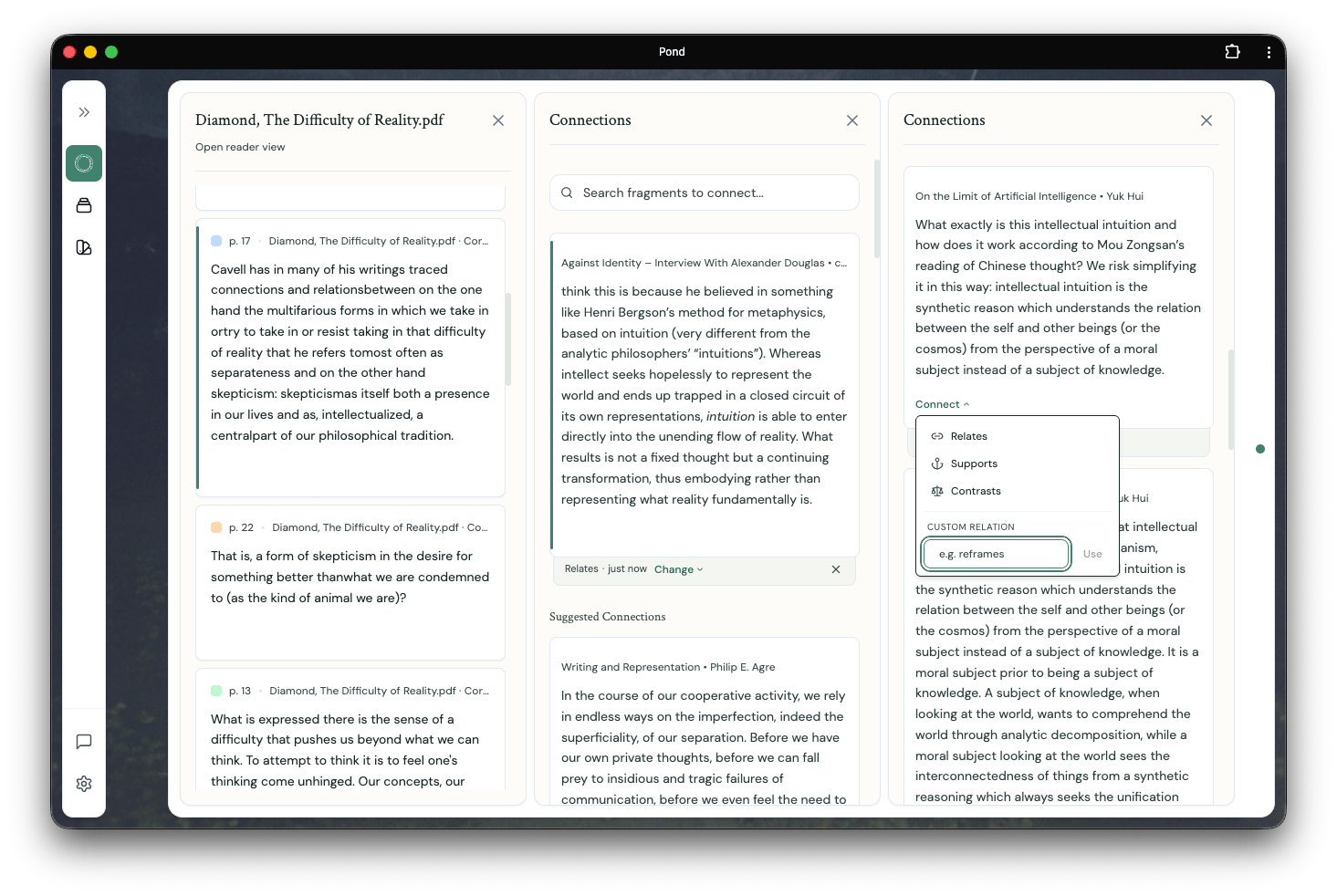
Pond ships with three starter types — supports, extends, and contrasts — and the type field is freeform, so you can type any custom label that fits the relation you have in mind. Use the starter types when they fit, invent your own when they don’t.By specifying the type of a relation — not just that there is a relation — you give Pond’s intelligent features a richer substrate to navigate. Typed relations sharpen Connection suggestions, Thread discovery, development suggestions, and Framing.
Making Connections
From the Connections panel
Clicking an Artefact card in the Library opens an Artefact detail panel listing its Fragments. Each Fragment card has a View connections button, which opens the Connections panel. From there, you connect the current Fragment to another by clicking Connect on a target Fragment card and choosing the type. Targets can come from:- The Suggested Connections list
- The Fragments list of an Artefact detail pane
- A search from the bar at the top of the Connections panel
From inside a Note
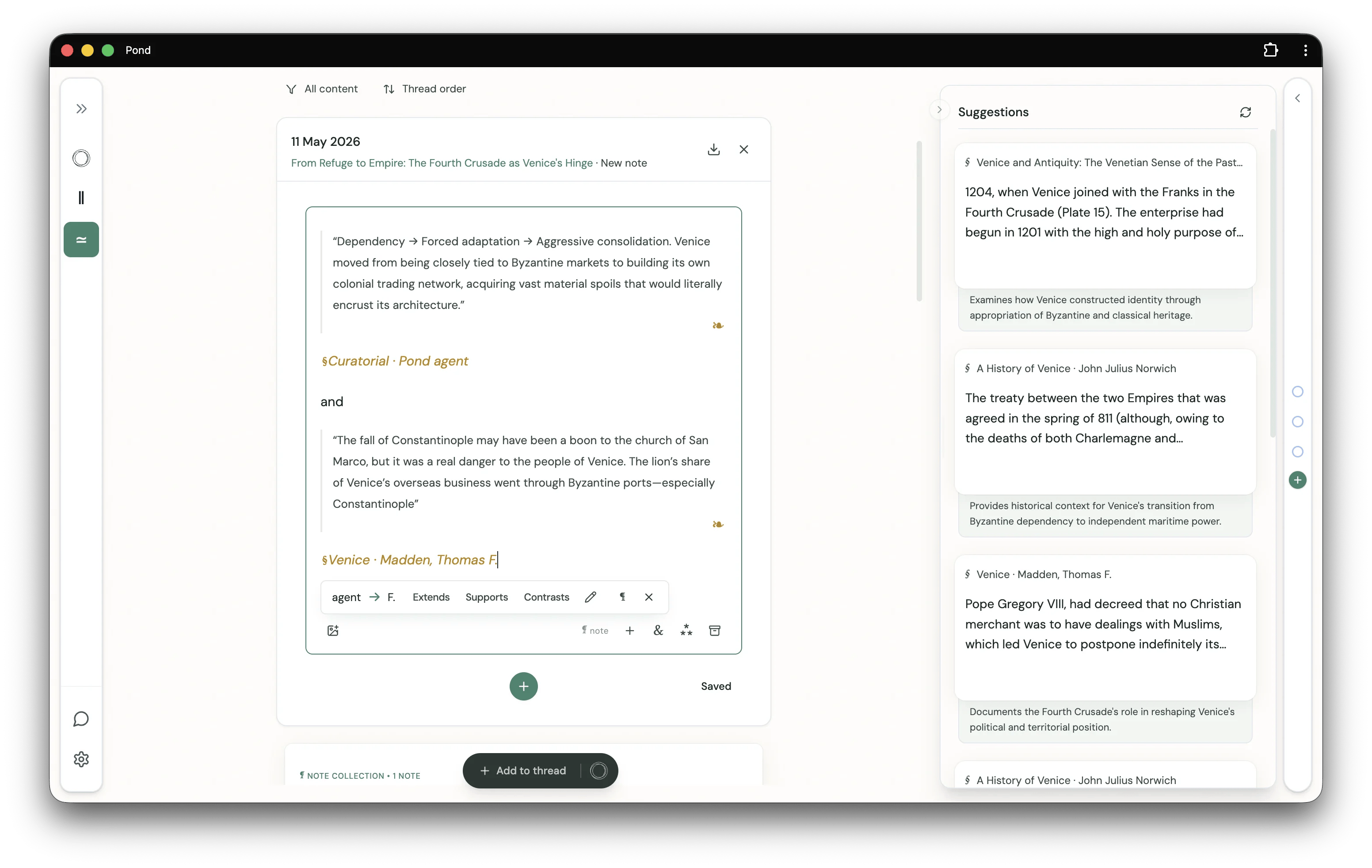
When a Note references two or more Fragments, an inline chip appears beneath them suggesting you connect those Fragments. Pick Extends, Supports, or Contrasts — or open the menu for a custom type — to record the Connection without leaving the editor.